9 Best Cheap Vinyl Cutting Machines (November 2026)
The best cheap vinyl cutting machines include the Silhouette America Cameo 5 Alpha (best overall for most crafters), the Likcut S501 Vinyl Cutter Machine for beginners and small spaces, and the Cricut Maker 4 T-Shirt Bundle for custom apparel.
On this page (9 sections)
- Best cheap vinyl cutting machines at a glance
- How these cheap vinyl cutting machines compare
- How we compared these vinyl cutting machines
- Which cheap vinyl cutting machine fits your projects?
- How much do you need to spend on a cheap vinyl cutting machine?
- What can a cheap vinyl cutting machine cut?
- Do you need design software or a subscription?
- Does a cheap vinyl cutting machine make good stickers?
- Which cheap vinyl cutting machine should you buy?
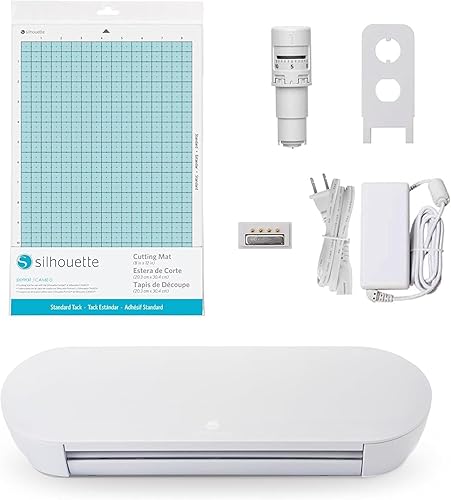
The best cheap vinyl cutting machine for most crafters is the Silhouette America Cameo 5 Alpha, because the AutoBlade, cutting mat, pen adapter and Studio software all come in the box. That saves the separate starter order most entry cutters need.
Pick the Likcut S501 for a tiny desk, the Cricut Joy Xtra for sticker kits, or the Siser Romeo if you are cutting for a small shop.
A low sticker price rarely tells the whole story with these machines. The real cost is the blade, the mat, the software and the vinyl you feed it.
A 12 in cutter with a blade included often lands cheaper than a smaller model that needs three extra buys.
We compared nine machines on what ships in the box, cutting width, material limits, connectivity and software. The quick list below starts with the best overall, then narrows to the specific needs each machine solves.
Our picks at a glance
-
1

-
2
 Best for beginners and small spaces
Likcut S501 Vinyl Cutter Machine
8.6/10 our score
See it on Amazon -
3

- 4
 Best for small desk setupsCheck it
- 5
 Check it
Cricut Joy Xtra Vinyl Starter Kit
Best for quick sticker jobs - 6
 Check it
Siser Romeo High-Definition Cutter
Best for small business production - 7
 Check it
Lya Vinyl 65 Pack Permanent Vinyl
Best vinyl starter supply - 8
 Check it
Liene PixCut S1 Color Sticker Printer
Best for print-and-cut stickers - 9
 Best for scanning hand-drawn designsCheck it
Best cheap vinyl cutting machines at a glance
Silhouette America Cameo 5 Alpha: Best overall for most crafters
- 4-point registration for print and cut
- Cuts up to 3mm thick
- AutoBlade, mat, pen adapter and 100 designs included
- Silhouette says it runs quietly at up to 400mm/s
A 12 in cutter that ships with the blade and mat you need, so the extras do not land in a separate order. Print-and-cut alignment makes it a fit for stickers and heat transfers.
Pros
- Blade and mat in the box
- 4-point registration for print and cut
- Cuts vinyl, paper and fabric
Cons
- Silhouette's own software is the main workflow
- Heavier than the smallest pick here
Likcut S501 Vinyl Cutter Machine: Best for beginners and small spaces
- 4.5 in wide cutting area
- Bluetooth 5.0 and USB 2.0
- Voice and text to design
- Front cover doubles as storage
A tiny cutter with voice and text prompts that turn a plain description into a cut file. It stores its own tools in the front cover and works with a vinyl bundle in the box.
Pros
- Compact enough for a small desk
- Voice and text to design
- Vinyl bundle included
Cons
- 4.5 in cutting width limits bigger decals
- Design library sits in Likcut's own store
Cricut Maker 4 T-Shirt Bundle: Best for custom apparel
- Maker 4 plus EasyPress SE heat press
- Vinyl and iron-on materials included
- Cuts 300+ materials
- Cricut says cuts up to 2x faster than earlier models
The bundle pairs a 12 in cutter with a heat press and iron-on materials, so shirts and totes go from design to pressed finish without another order. It suits anyone selling apparel more than someone cutting flat decals.
Pros
- Heat press and HTV in one box
- Cuts 300+ materials
- Print-then-cut for full-color stickers
Cons
- Higher up-front spend than a cutter alone
- Heat press takes up extra table space
Silhouette Portrait 4: Best for small desk setups
- 9 in cutting width
- IPT cut-order optimization
- SNA belt-driven chassis
- Silhouette says 50 dB quiet
A 9 in cutter that trades width for a smaller footprint and quiet running. The blade and mat come separately, so price the starter extras before you compare totals.
Pros
- Quieter than typical desktop cutters
- IPT cut-order optimization
- Fits a narrow desk
Cons
- 9 in width rules out full 12 in sheets
- Blade and mat sold separately
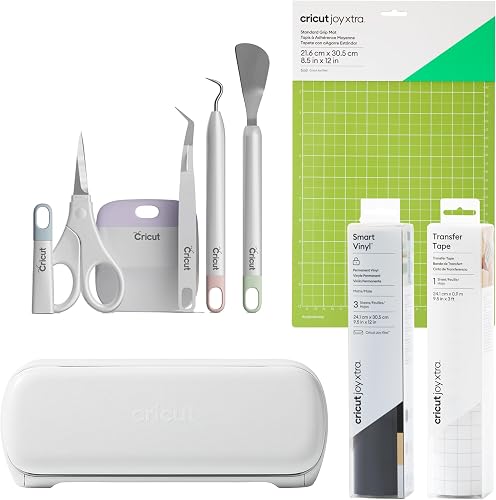
Cricut Joy Xtra Vinyl Starter Kit: Best for quick sticker jobs
- Vinyl Starter Kit with mat and transfer tape
- Works with 50+ materials
- Print-then-cut with an inkjet printer
- Cricut says it cuts, draws and foils
A small cutter sold with vinyl, a mat and transfer tape, aimed at stickers, cards and decals. The kit means you can cut the same day, though the small bed limits big projects.
Pros
- Starter kit includes vinyl and tools
- Print-then-cut for full-color stickers
- Free Design Space app
Cons
- Small 36 sq in cutting area
- Cricut Access subscription needed for the full library
Siser Romeo High-Definition Cutter: Best for small business production
- 24 in cutting width
- Matless cutting option
- Built-in registration camera
- WiFi compatible with Windows and Mac
A 24 in cutter built for volume work, with Siser HTV presets and matless loading. The wider bed halves production time on long runs, but the footprint and spend put it outside a casual crafter's budget.
Pros
- Wide 24 in cutting area
- Matless loading for long materials
- Siser presets for HTV
Cons
- Large footprint for a home craft room
- Needs more desk space than 12 in models
Lya Vinyl 65 Pack Permanent Vinyl: Best vinyl starter supply
- 65 sheets of 12 x 12 in permanent vinyl
- 40 colors
- Water and UV resistant
- Lya Vinyl says 4 to 5 years of service life
A 65-sheet color pack that covers most first projects without a second order. Permanent vinyl suits decals and outdoor signs more than fabric or temporary wall art.
Pros
- 40 colors in one box
- Fits 12 in cutting beds
- Lya Vinyl says water and UV resistant
Cons
- Permanent adhesive is harder to remove
- Glossy finish only, no matte option
Liene PixCut S1 Color Sticker Printer: Best for print-and-cut stickers
- Prints and cuts in one step
- 300 DPI thermal dye-sublimation
- AI image extraction and auto-cutting
- Liene app with 50,000+ images and 10,000+ templates
A single machine that prints and cuts stickers from a phone app. The AI extraction finds the subject in a photo and the cutter follows its edge, which saves the separate printer and cutter dance.
Pros
- Print and cut in one device
- AI subject extraction
- Liene says stickers come out waterproof
Cons
- Sticker size capped at 4 x 7 in
- Sticker paper and ink cartridges are consumables
Brother ScanNCut SDX125E: Best for scanning hand-drawn designs
- Built-in 600 DPI scanner
- 682 built-in designs and 9 fonts
- Auto blade sensor
- 5 in touchscreen display
The only machine here with a scanner built in, so a pencil sketch becomes a cut file without a separate camera or software step. It suits paper, vinyl and fabric but asks more of you at setup.
Pros
- Built-in scanner for drawings and printed sheets
- 682 designs and 9 fonts on board
- Cuts up to 3mm thick
Cons
- Highest learning curve in this group
- Costs more than the entry-level cutters
How these cheap vinyl cutting machines compare
The Cameo 5 Alpha leads on included extras and 12 in cutting width. The Likcut and Cricut Joy Xtra win on space and starter convenience.
The Siser Romeo and the Brother ScanNCut serve production and scanning jobs that a budget cutter would struggle with.
| Product | Best for | Cutting width | Max material thickness | Included components | Our score |
|---|---|---|---|---|---|
| Silhouette America Cameo 5 Alpha | overall for most crafters | 12 in | 3mm | AutoBlade, cutting mat, pen adapter, Studio software | 8.8 |
| Likcut S501 Vinyl Cutter Machine | beginners and small spaces | 4.5 in | Cutting machine, adapter, USB-C cable, vinyl bundle | 8.6 | |
| Cricut Maker 4 T-Shirt Bundle | custom apparel | 12 in | Maker 4, EasyPress SE, vinyl and HTV kit | 8.4 | |
| Silhouette Portrait 4 | small desk setups | 9 in | Machine | 8.0 | |
| Cricut Joy Xtra Vinyl Starter Kit | quick sticker jobs | Joy Xtra, mat, Smart Vinyl sampler, transfer tape, 5-piece tool set | 7.9 | ||
| Siser Romeo High-Definition Cutter | small business production | 24 in | Cutting machine kit, Leonardo Design Studio software, roll holder | 8.5 | |
| Lya Vinyl 65 Pack Permanent Vinyl | vinyl starter supply | 9.6 | |||
| Liene PixCut S1 Color Sticker Printer | print-and-cut stickers | 9.5 | |||
| Brother ScanNCut SDX125E | scanning hand-drawn designs | 3mm | 7.5 |
How we compared these vinyl cutting machines
Our score weighs specs, features and buyer feedback against what you're shopping for. For this list we gave the most weight to the things that decide the real total: what comes in the box, how wide the machine cuts and which materials it handles.
We checked each machine's cutting width against the 12 x 12 in vinyl most sellers ship. The Cameo 5 Alpha, the Cricut Maker 4 and the Brother ScanNCut all accept a full 12 in sheet, while the Siser Romeo runs a 24 in bed and the Likcut, Joy Xtra and Portrait 4 ask you to trim or split designs.
The width decides how many projects you can cut in one pass and how much waste each mistake costs.
We looked at whether a blade and mat are included, because those two extras often erase the gap between a cheap cutter and a mid-range one. The Cameo 5 Alpha ships both plus a pen adapter and 100 designs.
The Likcut bundles a vinyl pack and a USB-C cable. The Cricut Joy Xtra kit adds a mat, a Smart Vinyl sampler, transfer tape and a five-piece tool set.
The Portrait 4 and the Siser Romeo ship without those extras, so their true starting cost sits higher than the machine alone.
We noted the blade sensor on the Brother ScanNCut, which detects material thickness on its own so you do not dial in a setting for each new sheet. That is a different kind of value from a wider bed or a bigger design library.
It saves setup time on mixed-material projects, where you switch from card stock to vinyl to foam in one sitting.
We also noted software, since a free app with a big template library changes how much design work you do yourself. Silhouette Studio, Cricut Design Space, the Likcut app, Leonardo Design Studio and the Liene app all run without a subscription for basic work.
Where a paid tier exists, we treated it as optional and weighed whether the free library covers a beginner's first projects.
Finally, we matched each machine to a project type. Stickers, apparel, decals, fabric and small-space crafting pull toward different machines.
That is why the list runs top-down by score but the badges name separate jobs. A machine that tops the list overall is not automatically the right buy for a shirts-only seller or someone with half a desk to spare.
Which cheap vinyl cutting machine fits your projects?
The machine you pick should match the material you cut most and the width your designs need. A 12 in bed covers full vinyl sheets and large decals.
A 4.5 in cutter covers stickers and labels but splits bigger designs into pieces. Before you buy, sketch the three projects you want to finish first and note the width of the widest one.
If you mostly cut decals and full sheets
Go with a 12 in cutter. The Cameo 5 Alpha, the Cricut Maker 4 and the Brother ScanNCut all accept standard 12 x 12 in sheets without trimming.
The Cameo includes its blade and mat, which makes it the easiest starting point for decals on glass, metal and painted wood. The Cricut Maker 4 gives you the widest material range at 300+ materials and print-then-cut for full-color sticker sheets.
The ScanNCut adds a scanner for hand-drawn art. Our best home vinyl cutting machine roundup covers the wider home-craft field if you want more options.
If your craft space is a corner of the kitchen table
Choose the Likcut S501 or the Cricut Joy Xtra. The Likcut measures a compact 4.5 in wide and stores its tools in its front cover.
The Joy Xtra kit bundles a mat, vinyl and transfer tape so the whole setup fits in one drawer. The Portrait 4 sits between them at 9 in, quiet enough for a shared room at the 50 dB Silhouette lists.
All three keep the footprint small, but each one asks you to plan designs around a narrower bed.
If you are cutting to sell
Look at the Siser Romeo first. Its 24 in width and matless loading option cut long runs without reloading, and Siser preinstalls settings for its own heat-transfer vinyl.
The registration camera and Leonardo Design Studio handle print-and-cut for stickers and labels at volume. The Cricut Maker 4 T-Shirt Bundle covers apparel sellers who need a press in the same box.
For card stock and paper crafts, our die cutting machine for card making picks suit that job better than a vinyl-focused cutter. The smaller machines still work for selling stickers and labels, just at lower volume per session.
How much do you need to spend on a cheap vinyl cutting machine?
Set a budget for the machine plus about the same again for your first blade, mat and vinyl. The cheapest cutter here costs less up front, but the Portrait 4 needs a blade and mat before its first cut.
The Cameo's included AutoBlade and mat mean the total is closer than the sticker prices suggest. Add a roll of transfer tape and you have a workable first kit on either machine.
Work backward from your first five projects. If they all use standard 12 in vinyl, a wide cutter with a blade in the box is the better spend.
If they are stickers printed from your phone, the Liene PixCut S1 removes the printer and cutter pair entirely and may cost less than buying both. If they are shirts, the Maker 4 bundle folds a heat press into the same purchase.
List the projects, then buy the machine that covers the most of them without a second order.
The extras that add up
A spare blade, a second mat and a roll of transfer tape are the usual first purchases. Permanent vinyl like the Lya 65-pack is cheaper per sheet than small color packs, and its 40 colors cover most decal work.
Budget for a second mat if you plan to cut paper and vinyl on the same machine, since the two materials grip differently. The Siser Romeo's matless loading cuts down on mat wear for long runs, which changes that math for a small shop.
Consumables matter on the all-in-one too. The Liene PixCut S1 needs sticker paper and an ink cartridge, and the starter kit ships with 18 sheets of 4 x 6 photo paper, 18 sheets of 4 x 7 sticker paper and a cartridge rated for 36 sheets.
Price those refills into your monthly budget if stickers are your main output, because they arrive faster than a vinyl roll runs out.
When the all-in-one route saves money
The Liene PixCut S1 prints and cuts in one device at 300 DPI on 4 x 7 in media. If your only goal is full-color stickers from photos, the machine replaces both a cutter and an inkjet printer in your setup.
The trade-off is size: 4 x 7 in caps each sticker sheet, so anything larger still needs a separate printer and cutter.
What can a cheap vinyl cutting machine cut?
Most machines here handle vinyl, card stock, paper and labels. The Cameo 5 Alpha, the Siser Romeo and the Brother ScanNCut also list fabric or thicker materials up to 3mm.
Check the thickness, not just the material name, before you load anything unusual. A machine that cuts vinyl well may still struggle with thick chipboard, and one rated for 3mm can handle foam and balsa as well as fabric.
The Likcut lists card stock, glossy film and labels among its media and says it cuts 50+ materials. The Joy Xtra lists 50+ as well.
Both sit comfortably with paper and vinyl but are not rated for the 3mm ceiling the Cameo and ScanNCut carry.
Vinyl, card stock and labels
Every cutter on this list handles self-adhesive vinyl. The Cricut Joy Xtra works with 50+ materials and the Maker 4 lists 300+.
The Cameo's print media list includes banner paper, card stock, fabric, glossy film and glossy photo paper. For flat decals, a glossy permanent sheet like the Lya pack is the simplest stock to start with.
Matte vinyl takes pen and marker better if you plan to hand-letter on top, and the Cameo's pen adapter covers that path without swapping machines.
Fabric and thicker materials
The Cameo 5 Alpha lists fabric, banner paper, card stock, glossy film and photo paper among its media. The ScanNCut cuts up to 3mm, which covers chipboard and foam as well as vinyl.
The Siser Romeo cuts card stock and Siser's own HTV with preinstalled settings. If fabric is the main job, the manual die cutting machine route gives you a simpler option for small shapes without software.
Do you need design software or a subscription?
No. Each machine works with a free app for basic cutting, and every maker here offers templates without a subscription.
The Cameo runs on Silhouette Studio, the Cricut models run on Design Space, and the Likcut runs on its own app with 1,000,000+ designs in its store. A paid tier opens more content on some platforms, but nothing here locks basic cutting behind one.
Free software versus paid libraries
Cricut Design Space includes 3,000+ images and 100+ fonts free. The optional Cricut Access subscription opens a library of 1,500,000+ images.
The Liene app offers 50,000+ images and 10,000+ templates with no subscription. Likcut's design store holds more than 1,000 fonts and 1,000,000 designs.
Silhouette Studio and Leonardo Design Studio ship with their machines. Start with the free tier and only pay when a specific design you need sits behind it.
The Liene app goes further than templates by generating design variations. Upload a photo, pick a style, and the app redraws the subject in that style before you send it to the cutter.
That is a different feature from a searchable library, and it matters if you would rather start from a photo than from a blank canvas.
Phone, tablet or computer?
The Liene PixCut S1 runs from a phone app over Bluetooth. The Cricut Joy Xtra works from a phone, tablet or computer.
The Likcut connects over Bluetooth 5.0 or USB 2.0 from phones and computers with either. Silhouette Studio and Leonardo Design Studio are desktop-first, and the Cameo 5 Alpha lists Studio Software, computers and tablets as compatible devices.
Pick the app you'll actually open, since a powerful cutter you avoid using wastes more money than a small one you use weekly.
Does a cheap vinyl cutting machine make good stickers?
Yes, for simple single-color decals. A cutter plus glossy permanent vinyl makes clean die-cut stickers.
For full-color printed stickers, you either pair a cutter with an inkjet printer for print-then-cut or buy an all-in-one like the Liene PixCut S1. The quality difference shows up mostly in edge accuracy on printed sheets and in how long the sticker holds up to washing.
Cutting stickers from printed sheets
The Cameo 5 Alpha's 4-point registration system aligns the blade with printed images, which is what print-and-cut depends on. It adds vertical and horizontal corrections so a printed sheet lands straight on the mat.
The Maker 4 and Joy Xtra also support print-then-cut. The scan-and-cut path on the Brother SDX125E works differently: its built-in 600 DPI scanner reads a printed sheet and cuts around what it sees, so you skip registration marks on some jobs.
The Siser Romeo uses its built-in registration camera for the same print-and-cut task at wider widths.
Printing and cutting in one step
The PixCut S1 handles both halves in one device. Its AI extraction pulls a subject from a photo, then the cutter follows the edge.
It prints at 300 DPI with 16.7 million colors on 4 x 7 in sticker paper. Liene lists the sticker paper as waterproof and scratch-resistant because the four-layer thermal dye-sublimation process laminates the sheet during printing.
For a sheet of identical stickers or a full 12 in design, a separate printer and cutter still gives you more size choices.
Speed is worth a thought on sticker runs. Liene lists the PixCut S1 at about one page per minute, so a batch of small stickers takes a while.
A cutter working from a pre-printed sheet is faster per sheet once the printing is done elsewhere. Match the machine to how many stickers you need in a week, not to the fastest demo online.
Which cheap vinyl cutting machine should you buy?
Buy the Silhouette America Cameo 5 Alpha if you want one affordable cutter with the blade and mat in the box. It covers 12 in vinyl, print-and-cut and fabric, and its score of 8.8 tops this list.
The Likcut S501 is the pick when desk space decides and voice prompts sound easier than design software. Pick the Cricut Joy Xtra for a kit that includes vinyl and transfer tape.
The Siser Romeo is the choice when you cut long runs to sell. The Liene PixCut S1 stands apart for anyone whose whole goal is full-color stickers from a phone.
Pair any of them with the Lya 65-pack vinyl to keep the first month's supply cheap, and read our fabric cutting machine for quilters guide if fabric is your main material. A cheap vinyl cutting machine works best when the blade, mat and vinyl are budgeted alongside it.
Our top 3 picks at a glance
-
1
-
2
Best for beginners and small spaces
Likcut S501 Vinyl Cutter Machine
8.6/10 our score
See it on Amazon -
3
Frequently asked questions
Do cheap vinyl cutting machines come with a blade and mat?
It depends on the model. The Cameo 5 Alpha includes an AutoBlade, a cutting mat and a pen adapter, while the Silhouette Portrait 4 ships as the machine only.
Add a blade and mat to the Portrait's total before you compare it with the Cameo.
Can a budget vinyl cutter cut fabric?
Some can. The Cameo 5 Alpha lists fabric among its materials, and the Brother ScanNCut SDX125E cuts fabric up to 3mm thick.
For dedicated fabric work, compare our picks in the best fabric cutting machine for quilters guide.
Do I need a separate printer for print-and-cut stickers?
With most cutters, yes: you print on an inkjet printer and the cutter reads registration marks to cut around the design. The Liene PixCut S1 is the exception, since it prints and cuts stickers in one device.
Is a cheap vinyl cutting machine good enough to sell products?
It can be. The Siser Romeo has a 24 in width and matless loading for volume runs, and the Cricut Maker 4 T-Shirt Bundle pairs a cutter with a heat press for apparel.
Pick by the products you plan to sell, not by price alone.


